Set conditions for the Header
To start setting the proper conditions for the header, you should go to WordPress Dashboard » Phox » Theme Builder, find your header, and click the “Edit with Elementor” title below. don’t forget to check from the type column if it header or not
Then, click the “Gear” icon to look at the template options and then you will find the conditions tab that has all options.
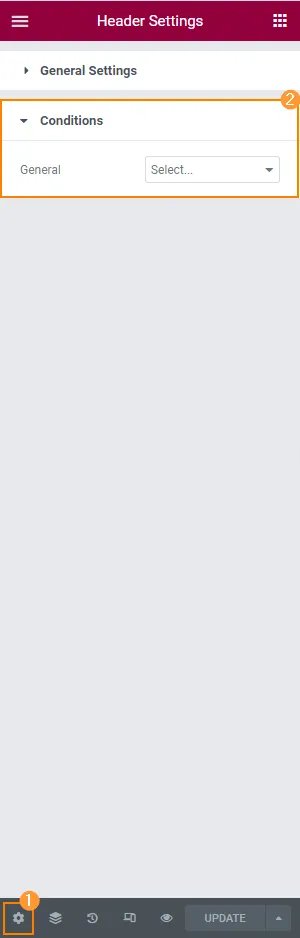
The first general option is if you choose “Select…” which means it is not working in any case.
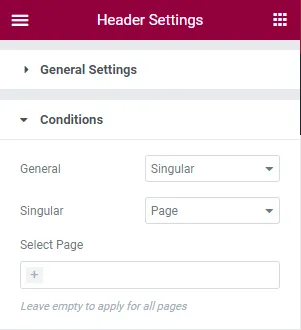
Singular – this option allows you to apply the header to particular posts or pages and it will show another option to select the pages or posts that the header will appear on it
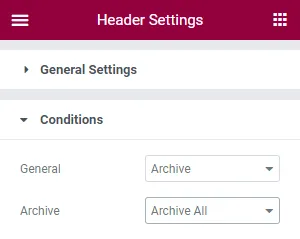
Archive – choose this option to apply a header template to all archives or search pages.
For instance, we will include this header for the front page by selecting the “Singular,” and “Front Page” options in the drop-down menus. Don’t forget to click the “Update” button after picking the desired conditions.

Now, we can proceed to the front page and view the results.